
New in Storefront: We flipped the menu
Horizontal Navigation is now available for your Storefront — but the real feature isn’t the menu position. It’s a configurable navigation system you can tailor per Company Group, with banners in drawers and AI-drafted setup.
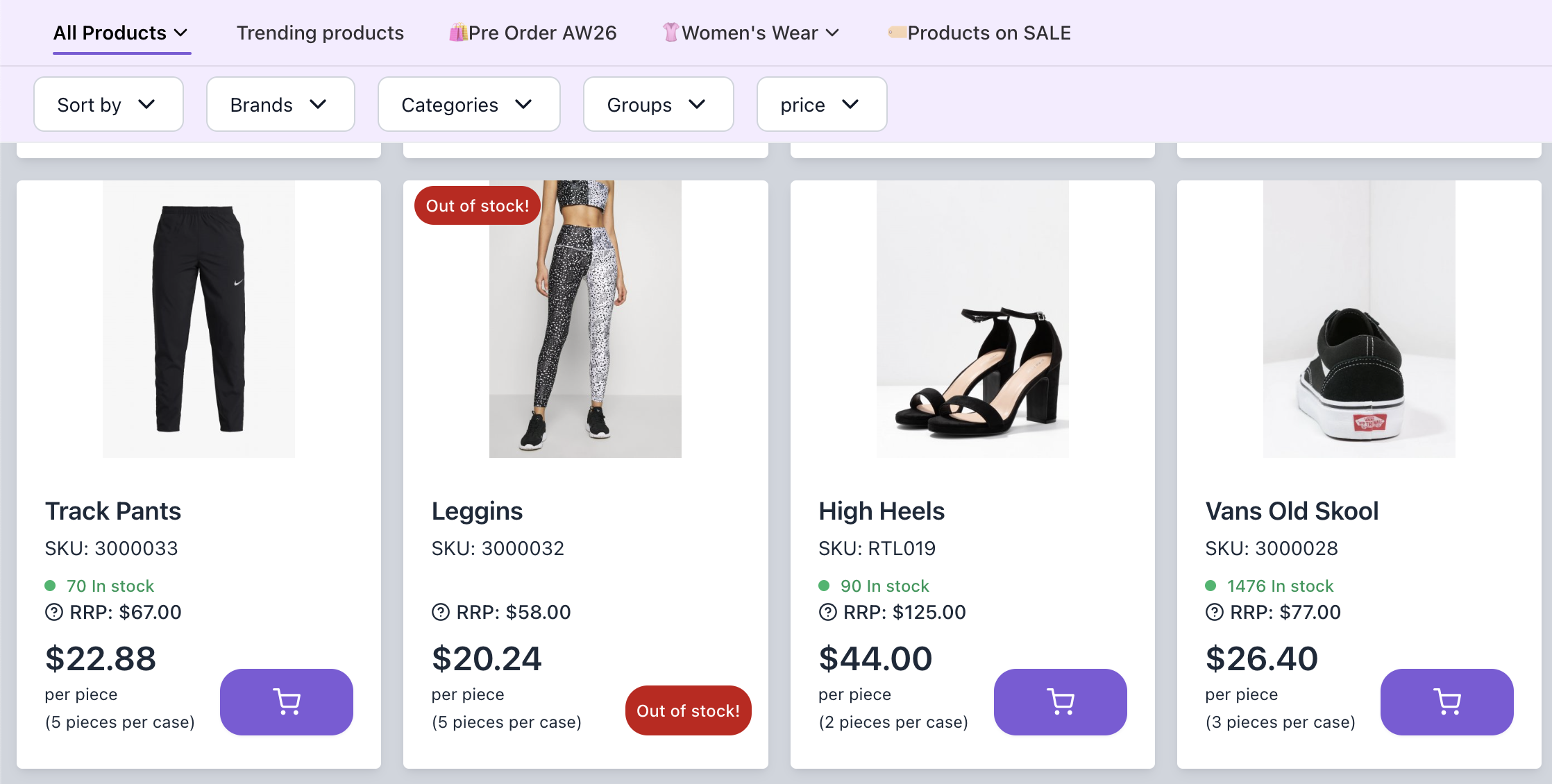
New in Storefront: We flipped the menu
Huge news, we know.
But behind what appears to be a very simple change is a powerful Storefront update.
Horizontal Navigation is now available for your Storefront.
At first glance, it is exactly what it sounds like: instead of navigating through a left-side category structure, your customers can use a horizontal menu at the top of the Storefront.
Simple.
Except B2B catalogs are anything but simple
Product catalogs and B2B catalogs are certainly not simple.
They often have deep category structures, customer-specific product ranges, different priorities by segment, and a long list of products that matter more to one group than another.
That is why we did not just build “a top menu”.
A configurable navigation system, per Company Group
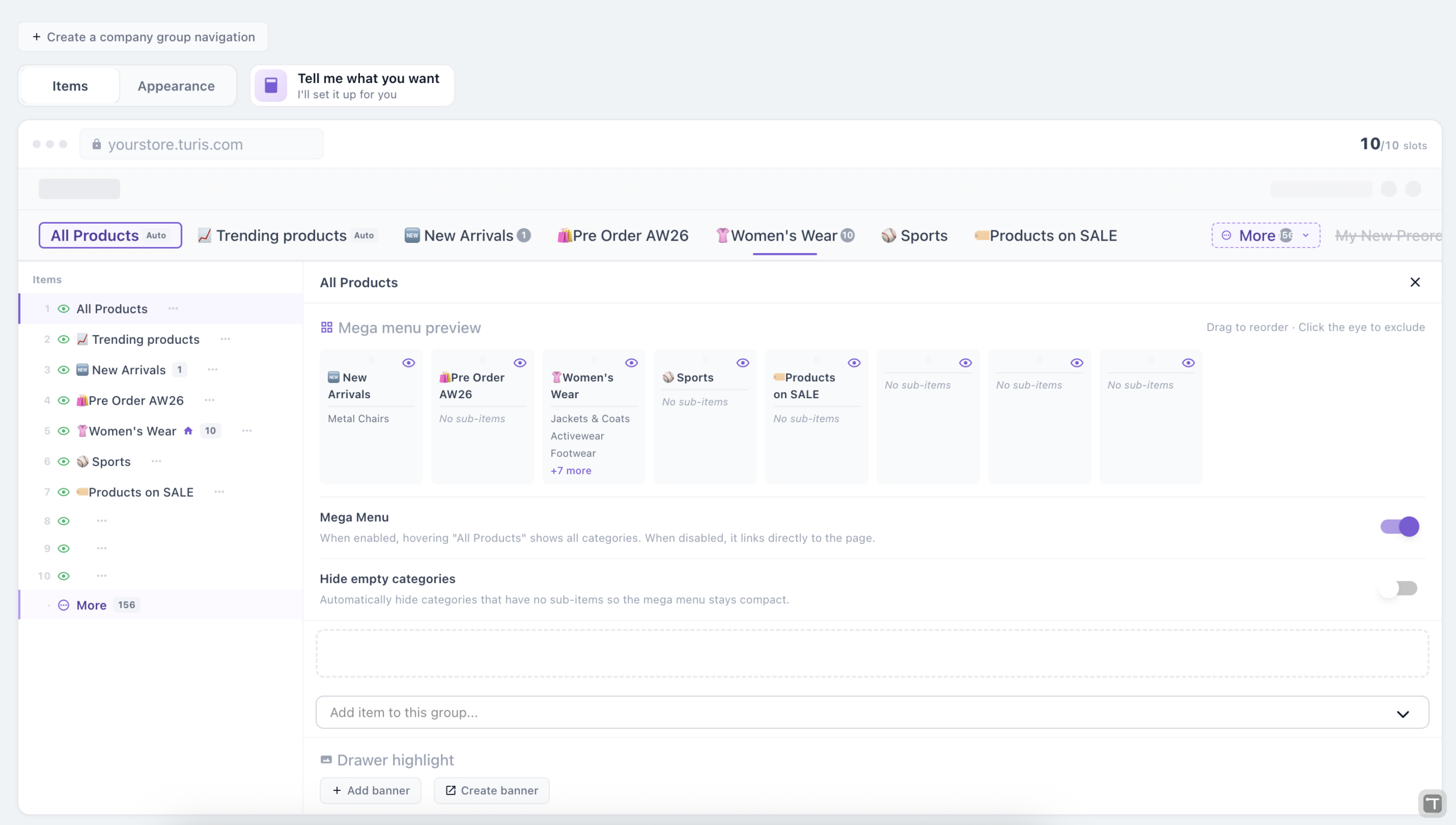
We built a configurable navigation system that lets you create different navigations for different Company Groups.
Each customer segment can get a navigation that fits the way they buy, while still keeping the rest of the catalog available when needed.
Banners in the navigation drawers
You can also add banners to navigation drawers, so you can highlight products, promotions, categories or useful information right where customers are browsing.
Use it to surface a seasonal range, push a new launch, or simply give a Company Group a heads-up about something relevant to them.
Tell Turis what you want, and we’ll draft it for you
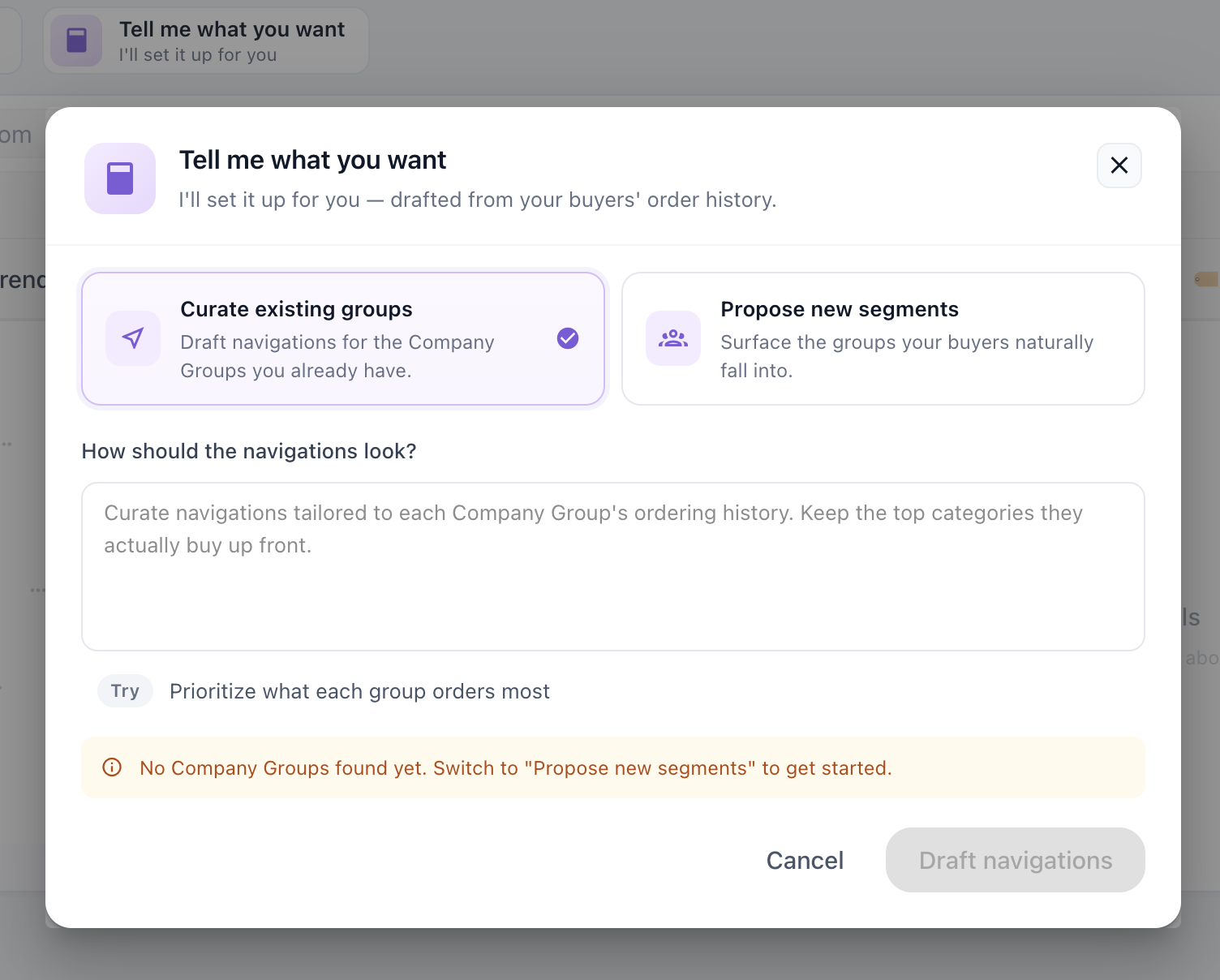
Setting this up for every Company Group can become a lot of manual work. So Turis can help draft the navigations for you.
You describe what you need, we prepare the setup, and you approve or adjust it. Turis can either curate navigations for the Company Groups you already have, or propose new segments based on the groups your buyers naturally fall into.
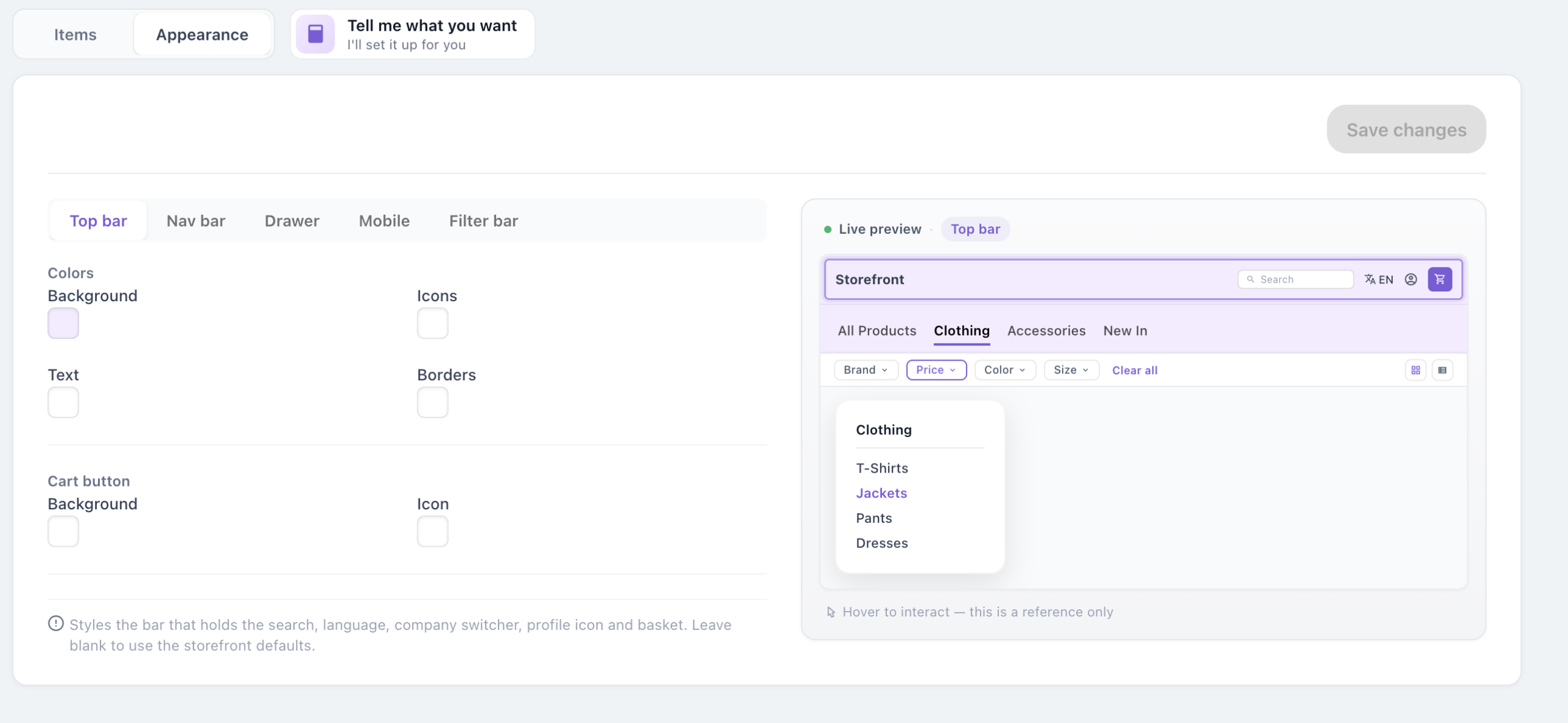
Design it the way you’d like
And of course, you can design the appearance of the horizontal nav just how you’d like it — top bar, nav bar, drawer, mobile and filter bar each have their own colour and styling controls, with a live preview as you go.
The real feature isn’t the menu
So yes, the menu moved sideways.
But the real feature is helping each customer get to the right products faster — with a navigation built for the way they actually buy.
How to activate it
Activate it in Settings → Site Settings → Navigation Layout.
Once activated, go to Navigation to set it up exactly how you’d like it.
Not a customer yet?
Related articles
