
New in Vision: upload every order in one go
Stop uploading orders one by one. Vision now ingests a whole batch of files in a single pass — and can even split one file that contains several orders into individual orders. Upload once; Vision handles the rest.
Plenty of B2B orders never arrive through a storefront. They land as PDFs, spreadsheets and email attachments — and someone on your team has to turn each one into a clean order in the system. Vision is the part of Turis that does that for you: it reads a static order file, matches every line to your catalogue, applies the right price and terms for that customer, and hands you a ready-to-review order. No retyping.
Until now, that happened one file at a time. Today it does not. Vision now takes a whole batch in a single pass — and can even break one file holding several orders into separate orders on its own.
Drop in the whole batch
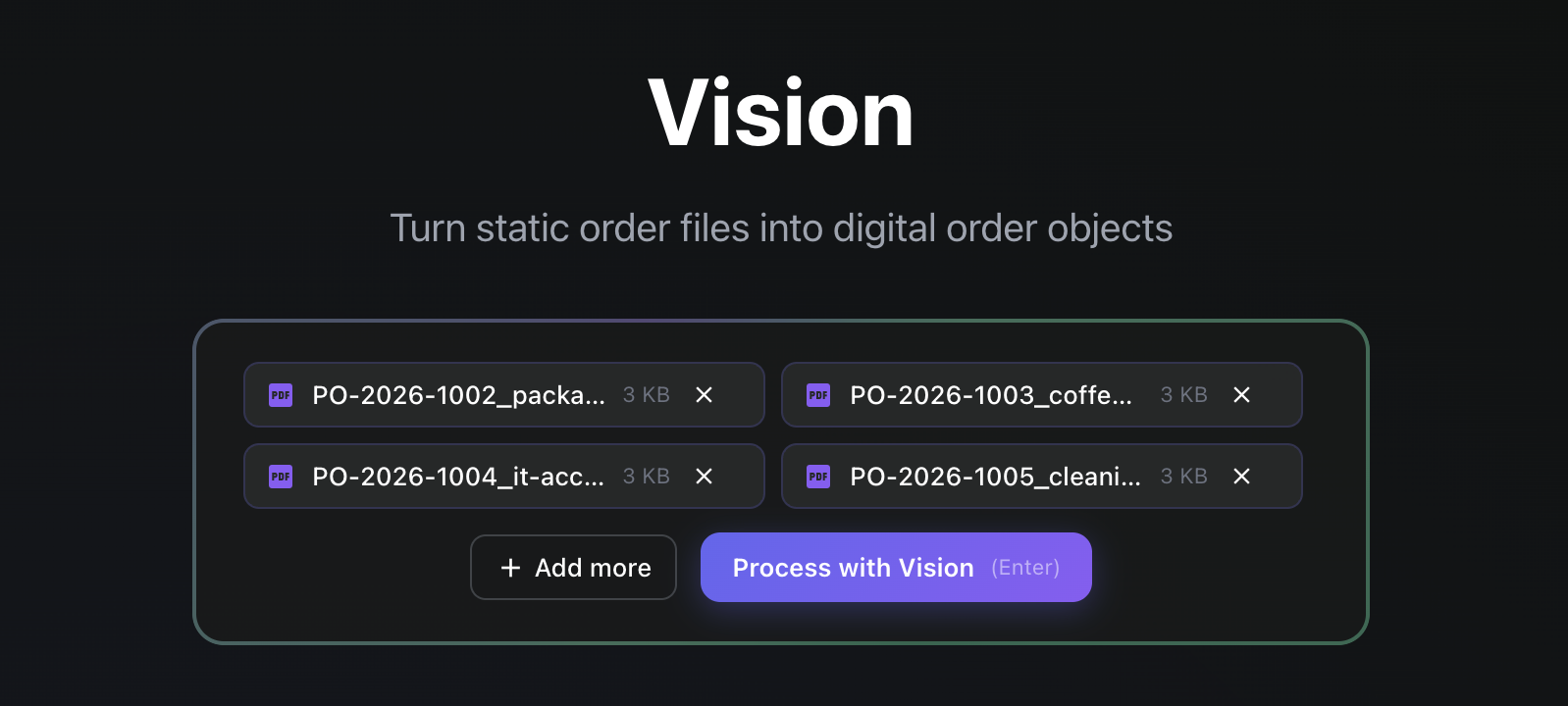
Order files rarely show up one at a time. A morning’s inbox is four POs here, a spreadsheet there, a stack that built up overnight. Now you can hand Vision all of them at once. Select or drag in as many files as you like, hit Process with Vision, and each file becomes its own order — read, matched and priced — without you babysitting them through one by one.
What used to be open, wait, save, repeat is now a single action. The queue you see above — four purchase orders lined up together — is the whole point: you load the work, and Vision works through it.
One file, several orders? Vision splits it.
Sometimes the problem is the opposite: a single PDF or spreadsheet that actually contains several distinct orders — different buyers, different delivery dates, different POs stitched into one document. Those have always been the fiddly ones, the files someone has to pull apart by hand before anything can be entered.
Vision now recognises when a file holds more than one order and splits it into individual orders automatically, creating each one separately. The messy multi-order document stops being a manual chore and becomes just another thing Vision sorts out.
Why this matters
Order entry rarely arrives evenly. It comes in spikes — a Monday backlog, a campaign, a seasonal rush — and that is exactly when entering orders one at a time hurts most. Batch upload and automatic splitting are aimed straight at those peaks: the more orders pile up, the more time this gives back.
- Less repetition. Load a batch once instead of opening, processing and saving every file in turn.
- No more manual splitting. Multi-order files are pulled apart for you, so nothing has to be untangled by hand first.
- Scales with the spike. A busy morning’s worth of orders is one action, not fifty.
Upload once. Vision handles the rest.
It is a small change to how the screen works and a big change to how the day feels. Drop in everything that came in, let Vision read, match, price, split and queue it all — and spend your attention on the orders that genuinely need a second look, not on data entry.
