B2B EMAIL AUTOMATION IN TURIS
Send the right message to the right customer at the right time
Now you can turn real B2B buying signals into timely, relevant communication that drives reorders, recovers checkouts, & activates accounts — directly from Turis.
Turn buying signals into action
Every time a B2B buyer browses, orders, abandons a checkout, or goes quiet — that’s a signal worth acting on. With Pulse, you can automatically turn all of it into timely, relevant messages. Here are 6 examples:

Trigger reorder reminders
Identify customers who usually reorder every 30, 45, or 60 days but haven’t. Send a timely reminder with a direct link to reorder.

Follow up on product or category interest
Repeated views without purchase?
Send tailored suggestions, bestsellers, or relevant bundles based on what they browsed.

Activate more of your assortment
After a completed order, suggest complementary or newly launched products related to what was just purchased.

Recover stalled checkouts
Follow up when checkout is started but no order is submitted.
Reference what was in the cart. Stop automatically when the order is placed.

Re-engage accounts going quiet
Detect customers whose ordering or browsing activity is declining. Trigger a timely nudge before the account fully drops off.

Activate invited accounts
Automatically reach customers who were invited to your storefront but haven’t logged in or placed their first order.
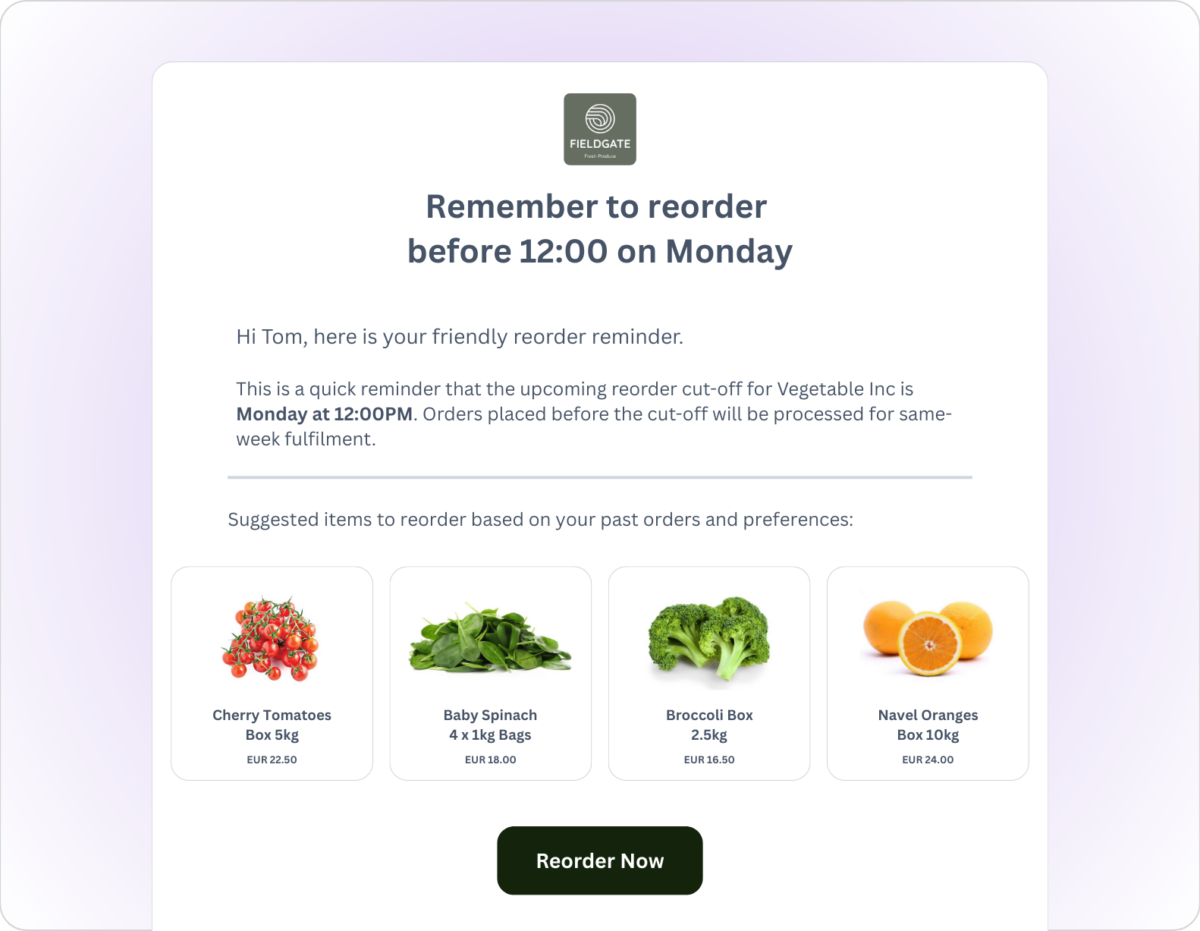
What an email looks like when it lands
Below is an example of a reorder reminder from a wholesaler, personalized to their specific buyer, showing their individual products at their pricing, with one click back to their Storefront. Every Pulse email works this way — built around a specific moment that you choose, for a specific customer that you define.
HOW IT WORKS
Meet Pulse: our native B2B email automation engine
Pulse makes it easy for you to turn order & storefront activity into email programs that trigger when accounts act, pause, or change — then stop automatically when they no longer qualify.
AUDIENCES
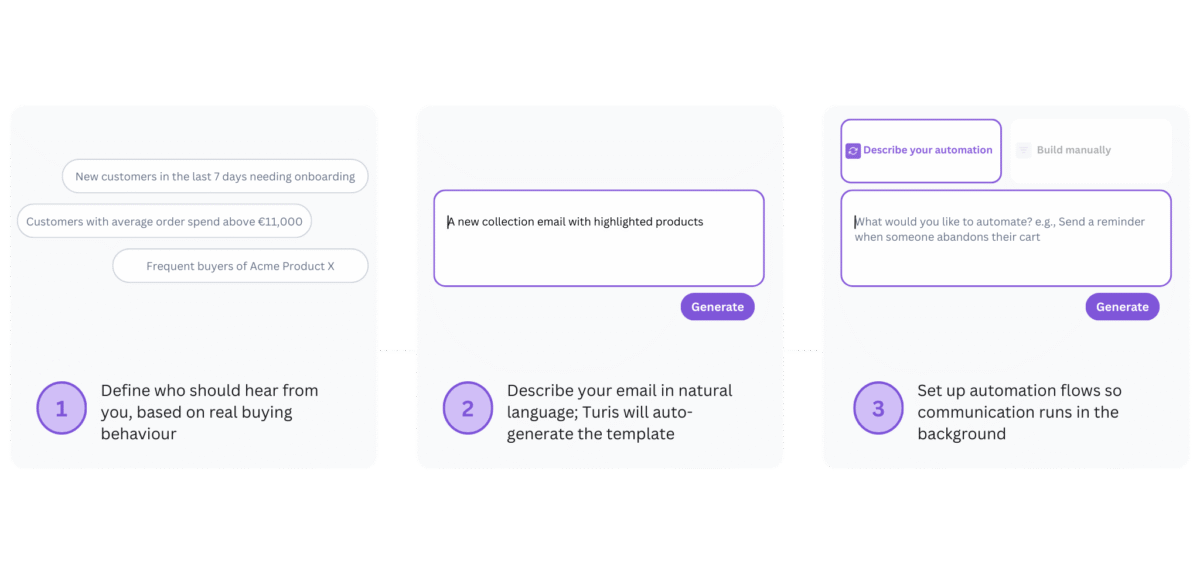
Define when someone should hear from you
Build condition-based audiences from real buying behaviour — who’s overdue a reorder, who bought your hero product but not the accessory, which accounts have gone quiet. Describe what you want in plain language and Pulse builds it. Customers drop in and out of campaigns automatically as their behaviour changes.
TEMPLATES
Create messages that reflect intent
Start from reusable templates built for common B2B moments or create your own. Everything from — copy and font sizes to CTAs — is adjustable. Variables and dynamic product sections pull in what the customer viewed or ordered, so messages adapt without manual customisation.
AUTOMATIONS
Set the logic once so campaigns run in the background
Trigger flows when conditions are met, add delays or follow-ups, and stop automatically when an order is placed. Set campaigns up once and Pulse works in the background — bringing customers in and stopping messages automatically based on their behaviour.
ACTIVITY & PERFORMANCE
See the impact, immediately
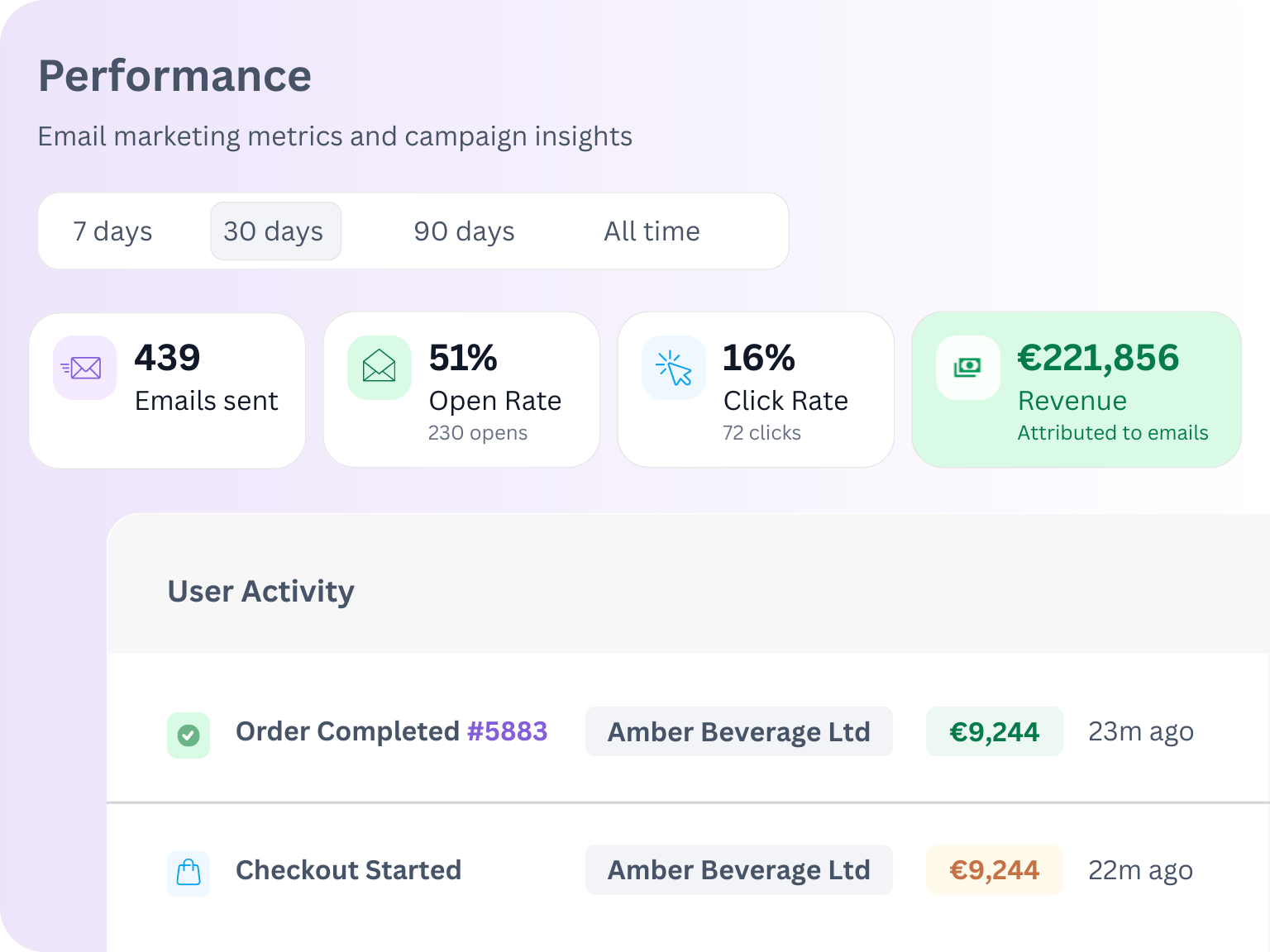
Get a live view of buyer activity, from page views and checkout started to order complete information. Immediately see the performance of each campaign — including attributed revenue.
GOOD TO KNOW INFO
Useful settings that make your life easier
Some of what Pulse makes very easy might surprise anyone who has wrestled with setting up email campaigns in other tools. Here are two examples:
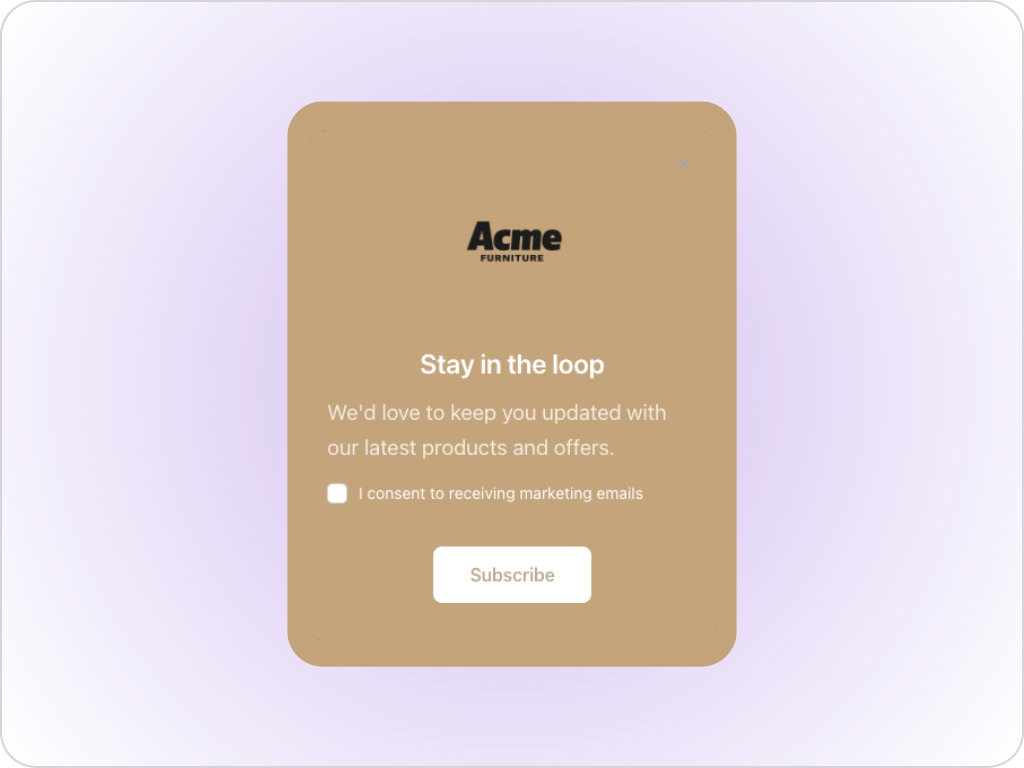
Request Email Consent
Easily turn on a consent form, adjust what it says, and choose where and when it appears — all directly in Pulse without any technical setup required.
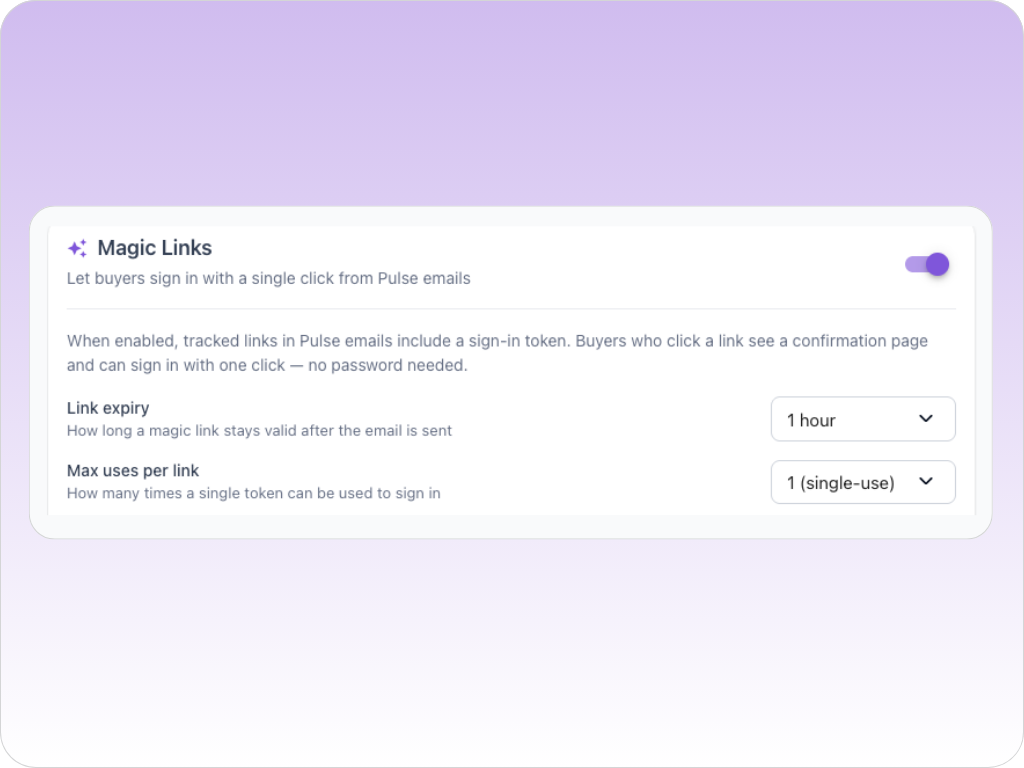
Include a Magic Link
Choose to include a one-click sign in from any Pulse email, so buyers land in their Storefront without needing to remember their username and password.
Why Pulse is different
Many email automation platforms are powerful. You probably already have one in your tech stack. But turning B2B commerce data into account-level communication that drives action is harder than it should be, which means you might revert back to sending one email out to everyone. We’ve built Pulse to change that.
INTEGRATIONS
Already using an email automation platform?
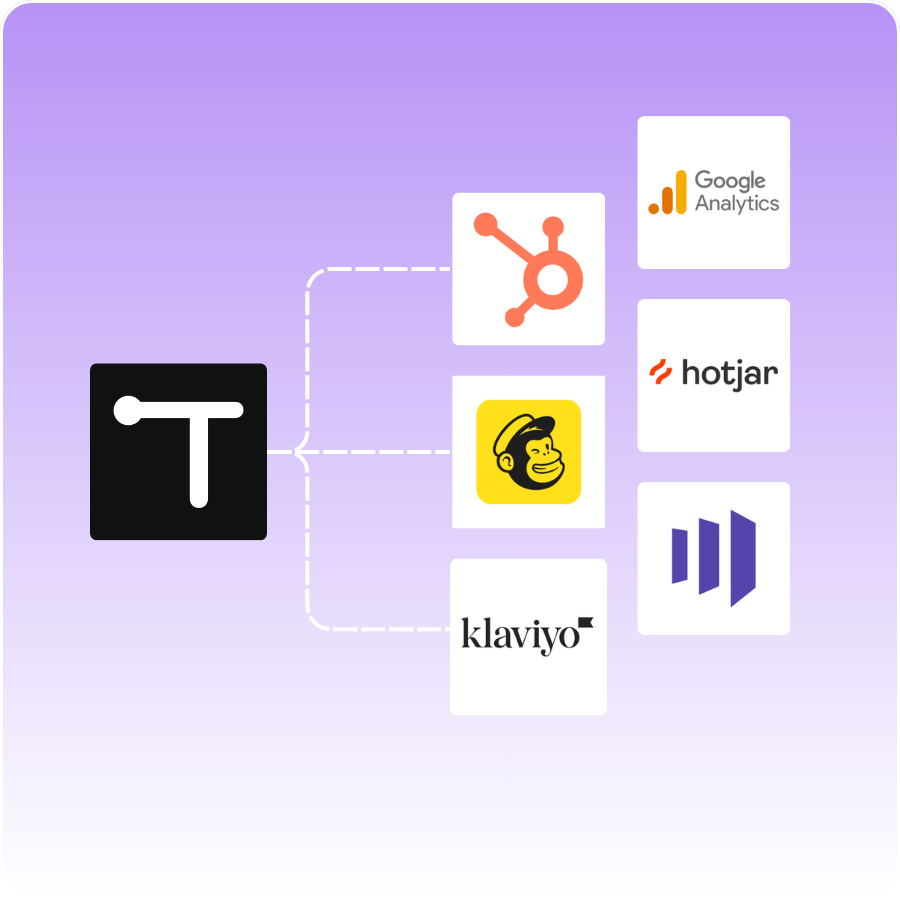
If your team prefers to continue building campaigns in Klaviyo, Mailchimp, or HubSpot, you can push order data from Turis to these systems and trigger behaviour-based email programs there (although naturally we think it’s easier to use Pulse!).
Frequently asked questions
Is Pulse a standalone product or do I need the Storefront?
Is Pulse consumption based?
What data does Pulse use to build campaigns?
Can I build an audience based on what customers aren’t doing?
Do customers stay in an audience permanently?
We already use Klaviyo. Do we still need Pulse?
Do we need technical skills or IT support to use it?

“With Turis, the interface and the customisation of the site is just so much more straightforward than something like Shopify, which has a billion buttons and 20,000 menus.”
Chris Bell
Head of IT, Planet Eclipse
LET’S TALK
What now?
We recommend you request a demo as a next step. When you do that, we’ll reach out to ask some questions then arrange a demo mapped to your needs and goals.
Rated 4.8/5 on G2
We’re proud to be rated highly for our support & ease of use